
Cook, Serve, Delicious!


Cook, Serve, Delicious! – Free Download – PC Game
Game Info:
Size: 2.03 GB
Genre: Simulation
Release Date: 8 Oct, 2013
Developer: Vertigo Gaming Inc
Publisher: Vertigo Gaming Inc
About This Game:
Cook, Serve, Delicious! is a restaurant management and cooking game that places players in charge of rebuilding a struggling eatery inside the SherriSoda Tower. Success depends not only on choosing a profitable menu but also on preparing customer orders quickly and accurately during increasingly hectic meal periods.
The game turns cooking into a rapid sequence of keyboard or controller inputs, with every dish requiring its own preparation pattern. Restaurant upgrades, menu planning, daily chores, and customer preferences add management decisions between the frantic cooking sessions.
How the Gameplay Works
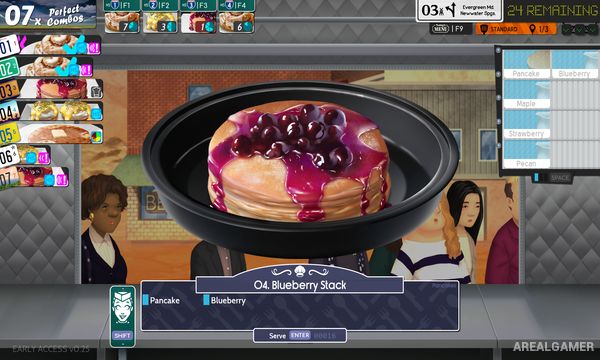
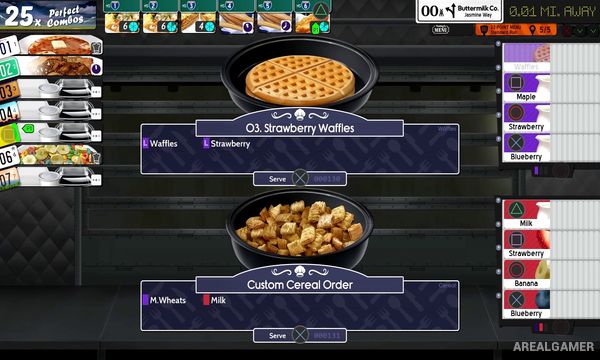
Customers arrive and place orders that appear in numbered stations. Players select each station and enter the correct preparation commands before the customer’s patience runs out. Recipes can require ingredients, cooking steps, toppings, or finishing actions depending on the food being served.
Rush hours dramatically increase the number of simultaneous orders, forcing quick prioritization. Players also complete chores such as cleaning dishes, taking out trash, and dealing with other restaurant problems while earning money to purchase foods and improve the restaurant’s star rating.
Main Gameplay Features
Fast keyboard and controller-based cooking
Large selection of food recipes
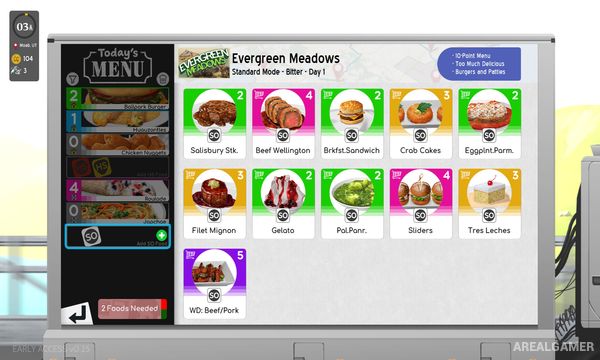
Restaurant menu customization
Customer patience and order management
Busy lunch and dinner rush periods
Restaurant chores and maintenance tasks
Food and equipment purchases
Restaurant star progression
Optional challenges and special events
Screenshots:
Minimum System Requirements:
OS: Windows 7
CPU: 2 GHz
RAM: 2 GB
Video Card: 128 MB Graphics card or greater
Space Required: 500 MB
DirectX: 9.0c
How to Install:
Extract the game using Winrar or 7zip.
Open “Cook, Serve, Delicious” folder, double click on “Setup” and proceed install.
After installation complete, go to the “Installed Game” location.
Double click on “Game” icon to play the game. Enjoy!
Click the Below Button to Proceed to Download Page
File Password: arealgamer