
Desktop Defender


Desktop Defender – Free Download – PC Game
Game Info:
Size: 108 MB
Genre: Casual
Release Date: 4 Nov, 2025
Developer: Conradical Games
Publisher: Poysky Productions
About This Game:
Desktop Defender is an idle auto-battler designed to run in a small area of the desktop while the player works, browses, or does something else. Rather than demanding constant attention, it creates an ongoing miniature battle where automated defenders continue fighting while progression gradually accumulates.
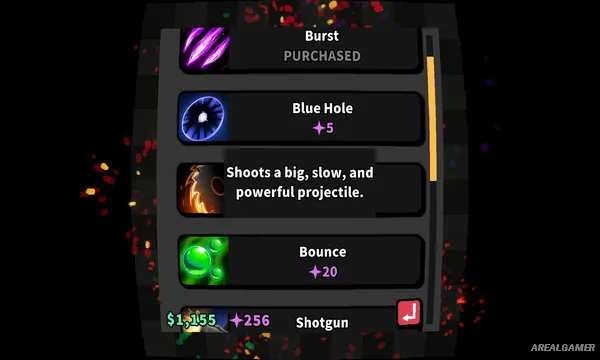
Its systems combine elements of idle games, tower defense, incremental upgrades, and automatic combat. Players can check back periodically to improve their setup, make progression decisions, and prepare the defenders for stronger waves without needing to actively control every attack.
How the Gameplay Works
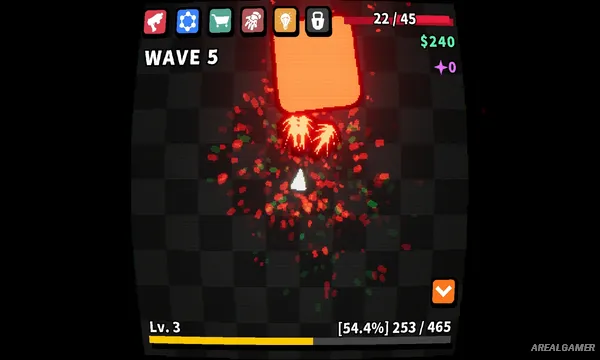
Enemies approach automatically while the player’s defenses fight without continuous input. Progress produces resources that can be spent on improvements, allowing the small defensive force to become progressively stronger.
The main interaction comes from deciding how to upgrade and develop the current setup. Because combat can continue while other computer tasks are being performed, the game works as both an incremental strategy experience and a desktop companion.
Main Gameplay Features
Desktop companion gameplay
Idle progression
Automatic battles
Tower defense elements
Incremental upgrades
Automated combat
Compact desktop window
Wave-based enemies
Resource progression
Strategic upgrades
Pixel-art graphics
Top-down presentation
Designed for multitasking
Single-player gameplay
Long-term progression
Screenshots:

Minimum System Requirements:
OS: Windows 7/8/10
CPU: AMD FX-4350 / Intel® Core™ i3-3210
RAM: 1 GB
Video Card: AMD Radeon™ R7 260X (2GB VRAM) / NVIDIA® GeForce® GTX 750(2GB VRAM)
Space Required: 200 MB
DirectX: 11
How to Install:
Extract the game using Winrar or 7zip.
Open “Desktop Defender” >> “Game” folder.
Double click on “Desktop Defender” icon to play the game. Enjoy!
Click the Below Button to Proceed to Download Page
File Password: arealgamer