
GWENT: Rogue Mage


GWENT: Rogue Mage – Free Download – PC Game
Game Info:
Size: 2.58 GB
Genre: Strategy
Release Date: July 7, 2022
Developer: CD PROJEKT RED
Publisher: CD PROJEKT RED
About This Game:
GWENT: Rogue Mage is a single-player roguelike deckbuilding adventure set centuries before the adventures of Geralt of Rivia. The story follows young mage Alzur and his companion Lily as they search for a way to create a powerful living weapon capable of protecting humanity from monsters.
The game adapts GWENT’s card mechanics into a run-based structure built around exploration, random encounters, deck development, and repeated attempts. Unlike standard competitive GWENT, battles are designed specifically for single-player encounters against computer-controlled enemies.
How the Gameplay Works
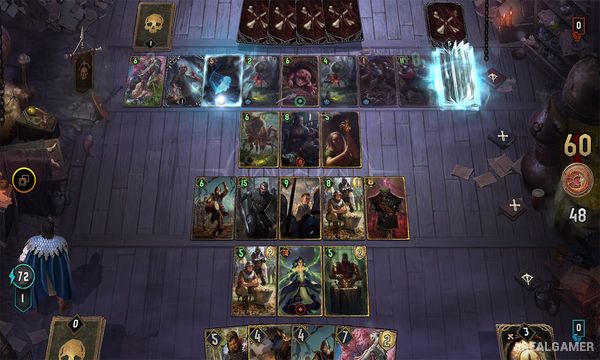
Each battle lasts only one round, encouraging players to use their cards aggressively instead of saving strength for later rounds. Cards contribute units and abilities to the board while the goal remains building more total power than the opponent.
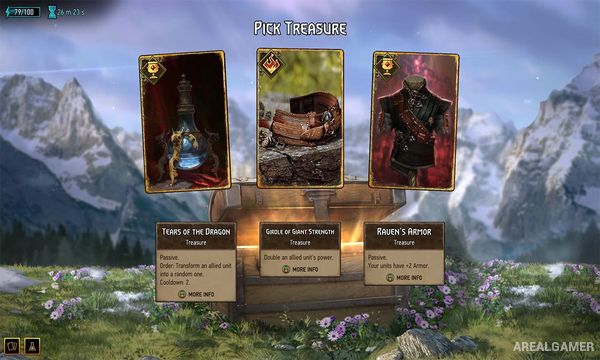
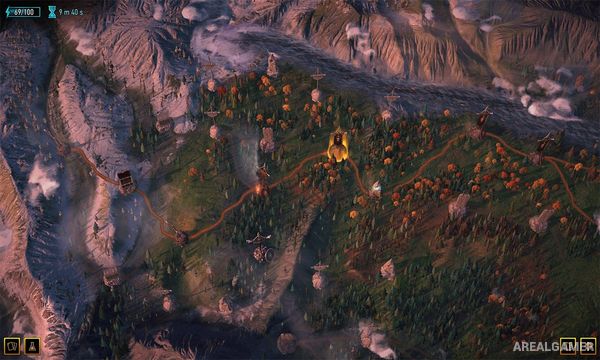
Alzur can cast spells from his Grimoire by spending Energy. Between encounters, players travel across a procedural map, visit Places of Power, discover random events, obtain new cards, and upgrade the deck. Losing a run provides progression that can expand future possibilities.
Main Gameplay Features
Single-player GWENT adventure
Roguelike deckbuilding
Story of Alzur and Lily
One-round card battles
GWENT-inspired card mechanics
Grimoire spells
Energy resource
Procedurally generated maps
Random events
Places of Power
Card rewards
Deck upgrades
Multiple starting decks
Boss encounters
Run-based progression
Witcher universe setting
Screenshots:
Minimum System Requirements:
OS: Windows 7/8/10, 64-bits
CPU: Intel Celeron G1820 | AMD A4-7300
RAM: 4 GB
Video Card: NVIDIA GeForce GT 730 | Radeon R7 240
Space Required: 6 GB
DirectX 10
How to Install:
Extract the game using Winrar or 7zip.
Open “GWENT: Rogue Mage” folder, double click on “Setup” and proceed install.
After installation complete, go to the “Installed Game” location.
Double click on “Game” icon to play the game. Enjoy!
Click the Below Button to Proceed to Download Page
File Password: arealgamer