
In Other Waters


In Other Waters – Free Download – PC Game
Game Info:
Size: 366 MB
Genre: Adventure
Release Date: April 3, 2020
Developer: Jump Over The Age
Publisher: Fellow Traveller
About This Game:
In Other Waters is a non-violent science-fiction exploration game in which the player does not control the human explorer directly. Instead, you become an artificial intelligence installed inside a diving suit and guide xenobiologist Ellery Vas through an unexplored alien ocean while she searches for a missing colleague.
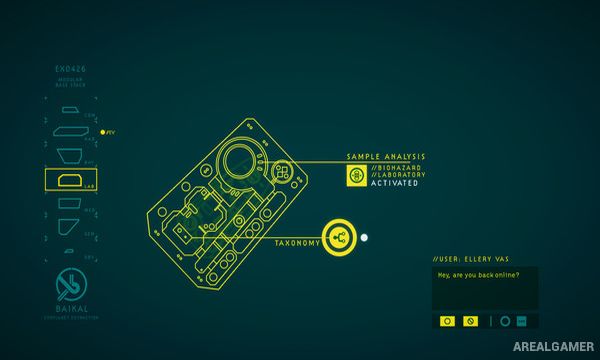
The mysterious planet is explored through an abstract interface rather than a conventional third-person world. Strange organisms, environmental readings, biological samples, and conversations gradually reveal how the alien ecosystem functions and what happened during earlier expeditions.
How the Gameplay Works
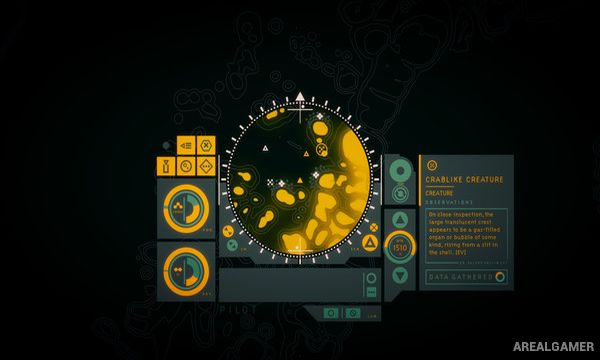
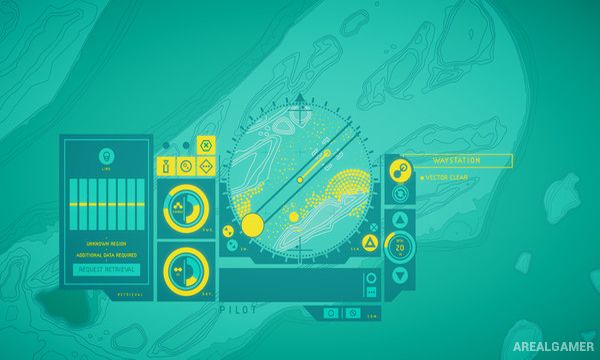
Players use a circular interface to scan nearby locations, identify points of interest, select routes, and direct Ellery through the water. Movement consumes resources, requiring attention to oxygen and power while traveling farther from safe areas.
Samples gathered from alien organisms can reveal new biological information and sometimes provide useful properties needed to reach another region. Progress is driven by exploration, observation, mapping, and conversation rather than combat, with discoveries gradually building a detailed understanding of the planet’s ecology.
Main Gameplay Features
Non-violent science-fiction exploration
Play as an artificial intelligence
Guide xenobiologist Ellery Vas
Explore an alien ocean
Abstract navigation interface
Scan unknown environments
Study alien organisms
Collect biological samples
Map unexplored areas
Resource management
Environmental storytelling
No traditional combat
Screenshots:
Minimum System Requirements:
OS: Windows 7/8/10, 64-bits
CPU: 2 GHz
RAM: 4 GB
Video Card: 2 GB VRAM
Space Required: 1 GB
How to Install:
Extract the game using Winrar or 7zip.
Open “In Other Waters” folder, double click on “Setup” and proceed install.
After installation complete, go to the “Installed Game” location.
Double click on “Game” icon to play the game. Enjoy!
Click the Below Button to Proceed to Download Page
File Password: arealgamer