
La-Mulana 2


La-Mulana 2 – Free Download – PC Game
Game Info:
Size: 1 GB
Genre: Action, Adventure
Release Date: 30 Jul, 2018
Developer: NIGORO
Publisher: PLAYISM
About This Game:
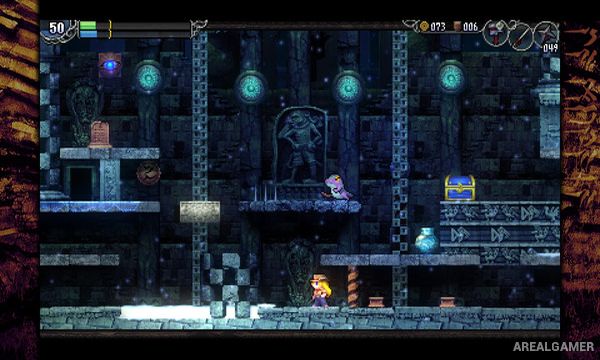
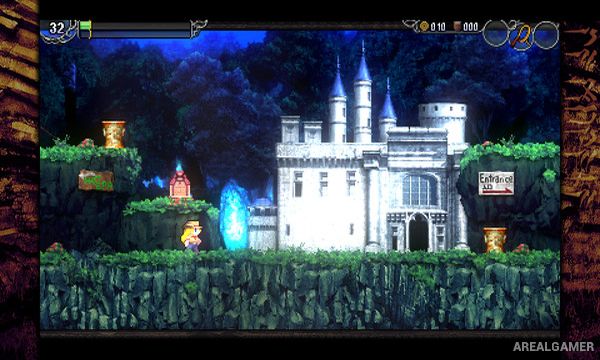
La-Mulana 2 is an exploration-heavy action platformer following Lumisa Kosugi as she enters the ancient ruins of Eg-Lana in search of answers behind a new supernatural threat. The enormous ruin is divided into interconnected areas filled with monsters, traps, hidden rooms, mysterious tablets, and puzzles that can require clues found far away from the location where they are eventually used.
The game deliberately avoids guiding players through every solution. Progress depends on taking notes, interpreting cryptic messages, remembering unusual environmental details, and experimenting with items, making discovery and puzzle solving just as important as defeating enemies.
How the Gameplay Works
Players control Lumisa in side-scrolling environments using jumps, melee weapons, sub-weapons, and various tools. New items gradually allow previously unreachable areas to be explored, while tablets and NPC conversations provide clues about larger puzzles hidden throughout the ruins.
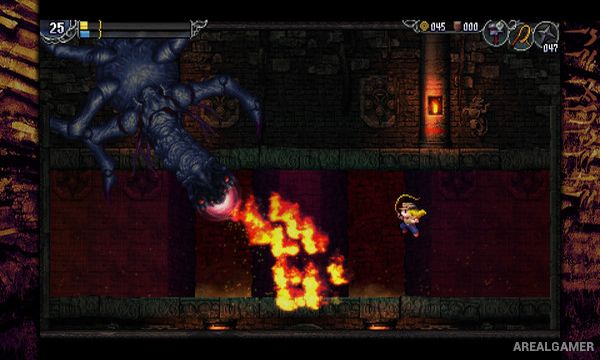
Bosses and smaller enemies add combat challenges, but many of the hardest obstacles involve understanding the ruins themselves. Activating the wrong mechanism can sometimes create additional danger, so observing symbols and connecting information between separate locations becomes essential for deeper progression.
Main Gameplay Features
Large interconnected ancient ruins
Side-scrolling action platforming
Extensive puzzle solving
Cryptic environmental clues
Hidden rooms and secret passages
Melee and ranged equipment
Large boss battles
Upgradeable tools and items
Nonlinear exploration
Backtracking with new abilities
NPCs and ancient tablets
Strong focus on player discovery
Screenshots:
Minimum System Requirements:
OS: Windows 7 (64-bit)
CPU: Intel(R) Core(TM) i5 2.3GHz or above
RAM: 4 GB
Video Card: Graphic board with at least 1 GB of VRAM
Space Required: 4 GB
DirectX: 11
How to Install:
Extract the game using Winrar or 7zip.
Open “La-Mulana 2” folder, double click on “Setup” and proceed install.
After installation complete, go to the “Installed Game” location.
Now double click on “Game” icon to play the game. Enjoy!
Click the Below Button to Proceed to Download Page
File Password: arealgamer