
Life is Strange: Before the Storm


Life is Strange: Before the Storm – Deluxe Upgrade – Free Download – PC Game
Game Info:
Size: 17.9 GB
Genre: Action, Adventure
Release Date: 31 Aug, 2017
Developer: Deck Nine
Publisher: Square Enix
About This Game:
Life is Strange: Before the Storm is a narrative adventure set before the original Life is Strange and centered on sixteen-year-old Chloe Price. The story explores Chloe’s grief, anger, family difficulties, and developing relationship with Rachel Amber before the events that later reshape Arcadia Bay.
Unlike Max’s story, Chloe does not have supernatural time-rewind powers. The game instead focuses on dialogue, choices, exploration, relationships, and a Backtalk system that lets Chloe challenge other characters during tense conversations.
How the Gameplay Works
Players explore locations, inspect objects, speak with characters, make dialogue choices, and complete optional interactions that reveal more about Chloe’s life. Backtalk sequences require choosing responses that directly counter another person’s words before the exchange ends.
Decisions affect relationships and how certain scenes develop across the episodes. Optional graffiti spots replace Max’s photographs as collectibles, allowing Chloe to leave personal marks around Arcadia Bay.
Main Gameplay Features
Three-episode narrative adventure
Chloe Price as the playable protagonist
Relationship-focused story with Rachel Amber
Choice-driven dialogue
Backtalk conversation challenges
Environmental exploration
Optional graffiti collectibles
Decisions that carry across episodes
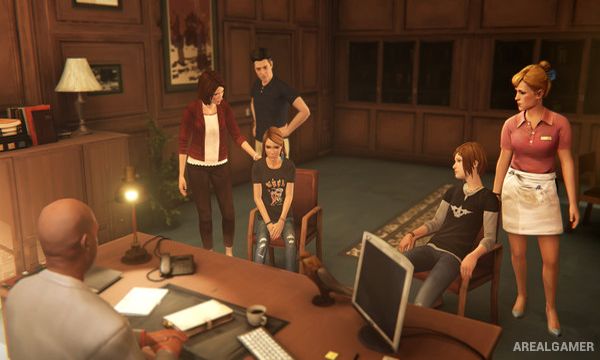
Screenshots:


Minimum System Requirements:
OS: Windows 7/8/10, 64-bits
CPU: Intel Core i3-2100 (3.1GHz) or AMD Phenom X4 945 (3.0GHz)
RAM: 3 GB
Video Card: AMD Radeon R7 250 or NVIDIA Geforce GTX 650
Space Required: 25 GB
DirectX: 11
How to Install:
Extract the game using Winrar or 7zip.
Open “Life is Strange: Before the Storm” folder, double click on “Setup” and proceed install.
Now run “DLC Setup” to install DLC.
After installation complete, go to the “Installed Game” location.
Double click on “Game” icon to play the game. Enjoy!
Click the Below Button to Proceed to Download Page
File Password: arealgamer