
Onigiri Shop Simulator

Onigiri Shop Simulator – Free Download – PC Game
Game Info:
Size: 553 MB
Genre: Simulation
Release Date: 5 Sep, 2025
Developer: Yagni Lab
Publisher: Yagni Lab
About This Game:
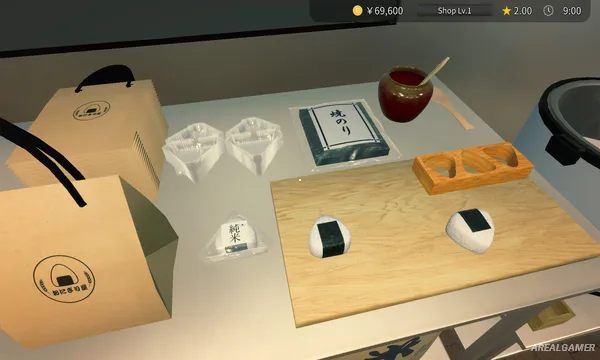
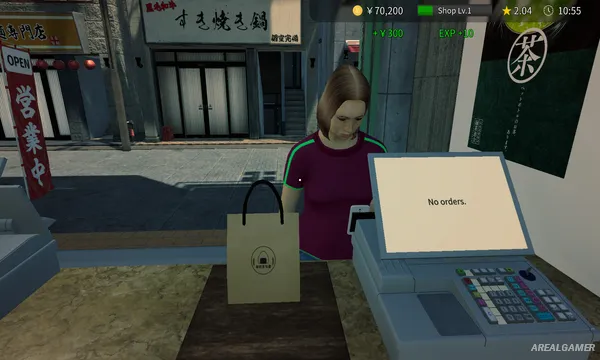
Onigiri Shop Simulator is a first-person cooking and management game that places players in charge of a small Japanese rice ball shop. The business begins as a modest street-corner operation where the owner is responsible for nearly everything, from preparing food to managing stock and serving customers. Onigiri forms the heart of the menu, but several fried side dishes add more variety to the kitchen.
Because the shop is operated largely by one person, organization becomes just as important as cooking. Ingredients need to be available before the next rush arrives, prepared food must be timed correctly, and customers cannot be left waiting indefinitely. Improving the workflow gradually turns a cramped little shop into a smoother and more efficient business.
How the Gameplay Works
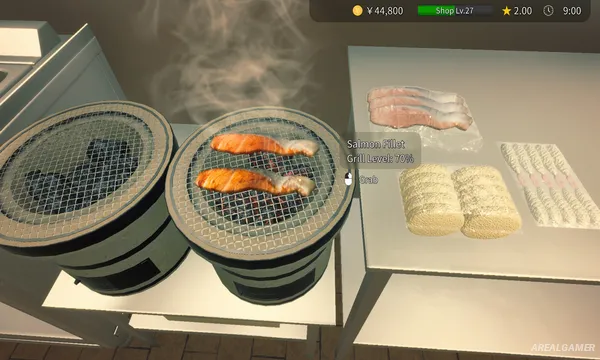
Customers arrive and place orders for different varieties of onigiri and side dishes. Players prepare rice, use the requested fillings, cook additional items such as croquettes or fried fish, and complete each order before moving on to the next customer. Working efficiently becomes increasingly important when several orders arrive close together.
Away from immediate cooking duties, players manage inventory and decide which ingredients should be stocked ahead of time. Limited space encourages an organized kitchen layout and sensible preparation order. Balancing cooking, supplies, and customer service forms the central challenge as the shop becomes busier.
Main Gameplay Features
First-person restaurant simulation
Japanese onigiri shop setting
Rice ball preparation
Multiple fillings and recipes
Fried side dishes
Customer order management
Cooking mechanics
Inventory management
Ingredient stocking
Time management
Solo shop operation
Cashier and cooking responsibilities
Workflow optimization
Single-player gameplay
Screenshots:
Minimum System Requirements:
OS: Windows 10/11, 64-bit
CPU: Intel Core i5-7500 / AMD Ryzen 3 1200
RAM: 4 GB
Video Card: Nvidia Geforce GTX 650 or AMD Radeon HD 7750
Space Required: 2 GB
DirectX: 12
How to Install:
Extract the game using Winrar or 7zip.
Open “Onigiri Shop Simulator” folder, double click on “Setup” and proceed install.
After installation complete, open “Crack” folder.
Copy all files and paste it where you “Installed the Game”.
Double click on “Game” icon to play the game. Enjoy!
Click the Below Button to Proceed to Download Page
File Password: arealgamer