
Per Aspera

Per Aspera – Blue Mars – Free Download – PC Game
Game Info:
Size: 1.62 GB
Genre: Simulation, Strategy
Release Date: December 3, 2020
Developer: Tlön Industries
Publisher: Raw Fury
About This Game:
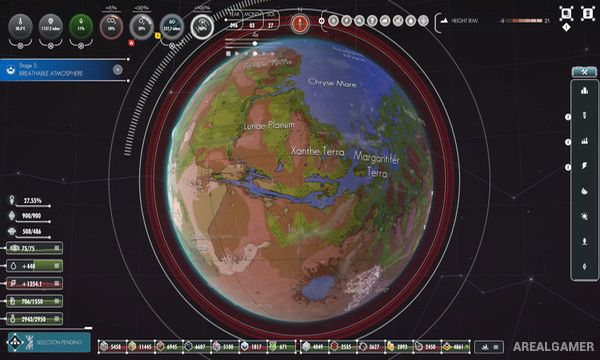
Per Aspera is a planetary strategy simulation where players control AMI, an artificial consciousness tasked with terraforming Mars for future human settlement. The entire surface of the planet becomes the building area, allowing an industrial network to grow from a small landing site into a civilization-spanning project.
The campaign combines hard science-fiction ideas with a fully voiced narrative involving previous failed missions, human colonists, and questions surrounding AMI’s developing consciousness. A separate sandbox option allows players to focus more directly on building and terraforming.
How the Gameplay Works
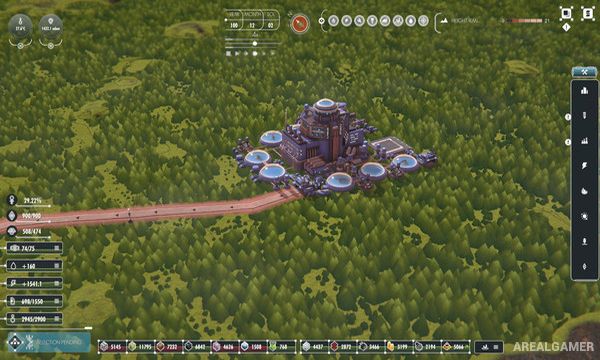
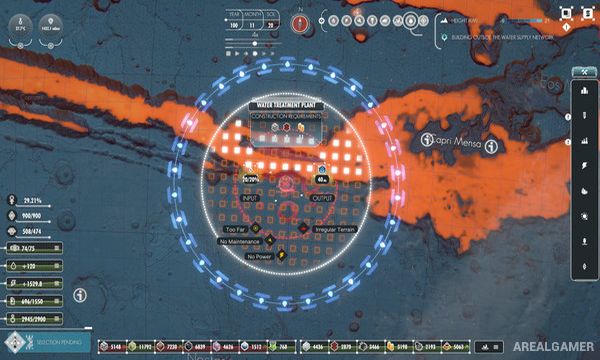
Players construct mines, factories, power facilities, research centers, transportation networks, and other infrastructure across Mars. Resources move through connected systems, making efficient logistics important as operations spread farther from the original base.
Research unlocks increasingly ambitious technologies used to change the atmosphere, temperature, and surface of the planet. Human settlements eventually become part of the growing network, while story decisions influence AMI’s relationship with the people overseeing the mission.
Main Gameplay Features
Planet-wide Mars simulation
Playable artificial consciousness AMI
Hard science-fiction setting
Base and infrastructure construction
Resource extraction
Large logistics networks
Technology research
Planetary terraforming
Human colony development
Fully voiced narrative
Story choices
Sandbox mode
Screenshots:
Minimum System Requirements:
OS: Windows 10, 64-bits
CPU: Intel Core i5-7400 / AMD Ryzen 3 1200
RAM: 8 GB
Video Card: NVIDIA GeForce GTX 1050ti / AMD Radeon RX 570
Space Required: 10 GB
DirectX: 11
How to Install:
Extract the game using Winrar or 7zip.
Open “Per Aspera” folder, double click on “Setup” and proceed install.
Now run “DLC Setup” to install DLC.
After installation complete, go to the “Installed Game” location.
Double click on “Game” icon to play the game. Enjoy!
Click the Below Button to Proceed to Download Page
File Password: arealgamer