
Phoenix Point: Year One Edition


Phoenix Point: Year One Edition – Complete Edition – Free Download – PC Game
Game Info:
Size: 18.5 GB
Genre: Strategy
Release Date: 3 Dec, 2020
Developer: Snapshot Games Inc.
Publisher: Snapshot Games Inc.
About This Game:
Phoenix Point: Year One Edition is a turn-based tactical strategy game set on an Earth devastated by the alien Pandoravirus. Players command the Phoenix Project, an organization attempting to rebuild its global network while mutated creatures threaten the remaining human factions.
The Year One Edition combines the core campaign with additional updates and content released during the game’s first year. Its tactical battles emphasize free aiming, destructible body parts, evolving enemies, and flexible soldier development.
How the Gameplay Works
Players maintain bases, research technology, manufacture equipment, recruit soldiers, and send aircraft between locations on a global strategy map. Relationships with surviving factions can lead to alliances, shared technology, or direct conflict.
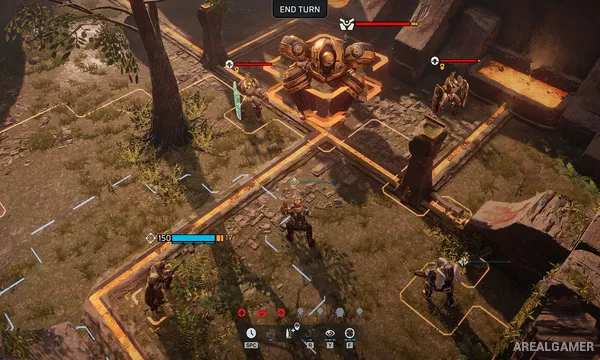
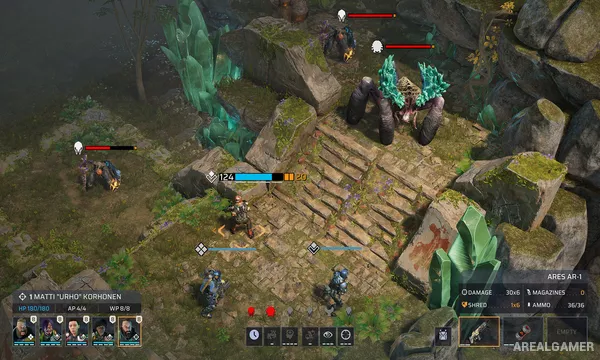
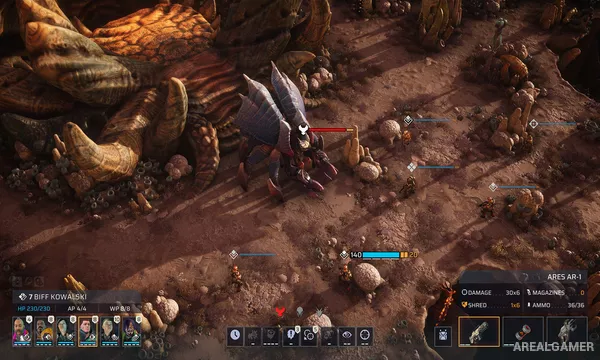
During missions, soldiers spend action points to move, shoot, use equipment, and activate abilities. The free-aim system allows individual enemy limbs and weapons to be targeted, while Pandoran mutations change as the campaign progresses.
Main Gameplay Features
Turn-based tactical battles
Free-aim targeting system
Individual enemy body-part damage
Global strategic campaign
Base construction and research
Multiple human factions
Flexible soldier multiclassing
Evolving Pandoran enemies
Included first-year additional content
Screenshots:
Minimum System Requirements:
OS: Windows 7/8/10, 64-bits
CPU: Intel Core i3 / AMD Phenom II X4
RAM: 8 GB
Video Card: Nvidia GeForce GTX 950 / AMD Radeon R9 270x
Space Required: 30 GB
DirectX: 11
How to Install:
Extract the game using Winrar or 7zip.
Open “Phoenix Point: Year One Edition” folder, double click on “Setup” and proceed install.
After installation complete, open “SKIDROW” folder.
Copy all files and paste it where you “Installed the Game”.
Double click on “Game” icon to play the game. Enjoy!
Click the Below Button to Proceed to Download Page
File Password: arealgamer