
Star Wars: Empire at War Gold Pack

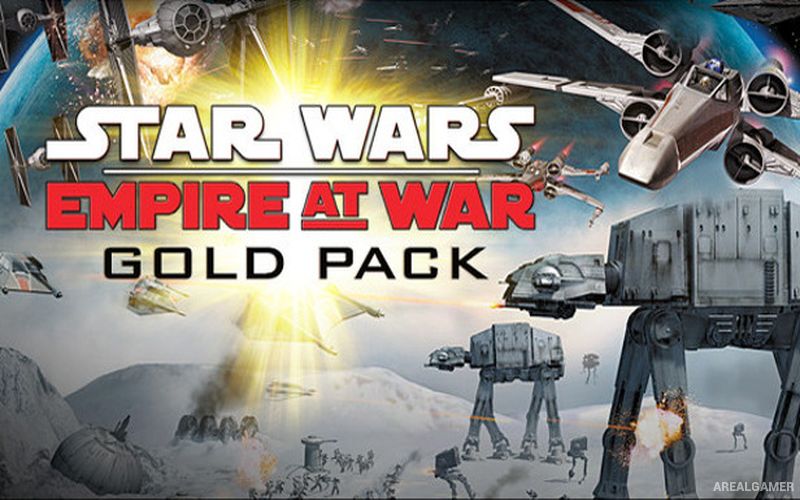
Star Wars: Empire at War Gold Pack – Free Download – PC Game
Game Info:
Size: 4.11 GB
Genre: Strategy
Release Date: 16 Feb, 2006
Developer: Petroglyph
Publisher: LucasArts, Lucasfilm, Disney
About This Game:
Star Wars: Empire at War Gold Pack combines the original Empire at War with its Forces of Corruption expansion. It turns the Galactic Civil War into a large-scale strategy game where players control planets, fleets, armies, heroes, and production while fighting for control of the galaxy.
The base game centers on the Galactic Empire and Rebel Alliance, while Forces of Corruption introduces the criminal Zann Consortium along with additional units, planets, mechanics, and campaigns. Battles move between a strategic galactic map and separate real-time engagements on planetary surfaces and in space.
How the Gameplay Works
On the galactic map, players capture planets, construct facilities, produce units, move fleets, and decide where to attack or defend. Each planet offers different strategic benefits, making control of important worlds useful for income, production, unit bonuses, or access to new technology.
When opposing forces meet, the game shifts into real-time combat. Space battles feature capital ships, fighters, bombers, stations, and hardpoints that can be individually targeted, while ground battles involve infantry, vehicles, defensive structures, and recognizable Star Wars heroes. Forces of Corruption adds criminal influence and sabotage mechanics to the wider campaign.
Main Gameplay Features
Galactic-scale real-time strategy
Separate space and ground battles
Rebel Alliance and Galactic Empire campaigns
Zann Consortium faction in Forces of Corruption
Recognizable Star Wars heroes and vehicles
Planet capture and base construction
Fleet and army management
Targetable capital-ship hardpoints
Galactic Conquest mode
Includes the Forces of Corruption expansion
Screenshots:



Minimum System Requirements:
OS: Windows XP/Vista/7/8/10
CPU: 1.8 GHz
RAM: 512 MB
Video Card: 64 MB graphics card compatible with DirectX 9
Space Required: 7 GB
DirectX: 9.0c
How to Install:
Extract the game using Winrar or 7zip.
Open “Star Wars: Empire at War Gold Pack” folder, double click on “Setup” and proceed install.
After installation complete, go to the “Installed Game” location.
Double click on “Launch Star Wars – Empire At War” icon to play the game. Enjoy!
Click the Below Button to Proceed to Download Page
File Password: arealgamer