
The Bard’s Tale Trilogy


The Bard’s Tale Trilogy – Free Download – PC Game
Game Info:
Size: 669 MB
Genre: RPG
Release Date: 14 Aug, 2018
Developer: Krome Studios, inXile Entertainment
Publisher: inXile Entertainment
About This Game:
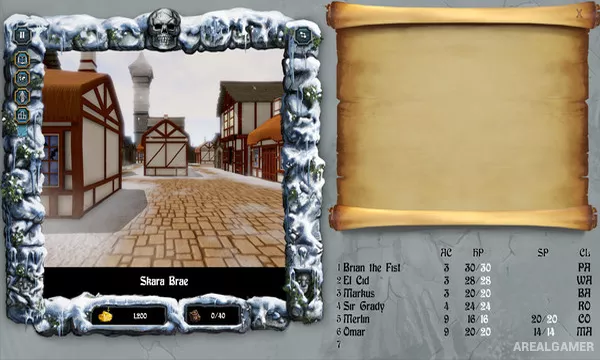
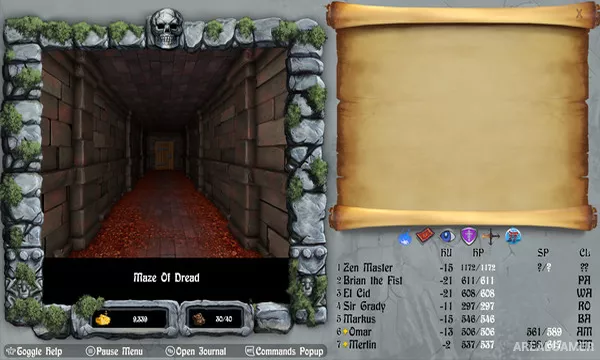
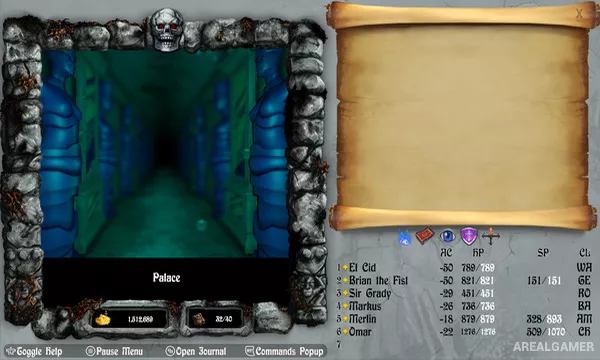
The Bard’s Tale Trilogy is a remastered collection of the first three Bard’s Tale dungeon-crawling RPGs. Players create a party of adventurers and explore towns, wilderness areas, towers, mazes, and enormous first-person dungeons filled with monsters, traps, puzzles, and treasure.
The remaster modernizes presentation and interface elements while retaining the party building, mapping, spellcasting, and challenging exploration that defined the original games.
How the Gameplay Works
Players assemble characters from different classes and races before exploring grid-based environments from a first-person viewpoint. Random and scripted encounters use turn-based commands for melee attacks, ranged actions, songs, spells, and defensive choices.
Characters gain experience and improve over the course of the trilogy, while magic becomes increasingly important in deeper dungeons. Navigation itself is a major challenge, with darkness, teleporters, traps, riddles, and maze-like layouts complicating exploration.
Main Gameplay Features
Three classic RPG campaigns
Custom party creation
First-person grid-based exploration
Turn-based party combat
Multiple classes and spell schools
Dungeon mapping and navigation
Puzzles, traps, and secret areas
Modernized remaster interface
Screenshots:
Minimum System Requirements:
OS: Windows 7/8/10, 64-bit
CPU: Intel Core2 Quad Q9300 / AMD Athlon 64 X2 4200+ / Intel Core i5-2500K or higher if using integrated Intel GPU
RAM: 4 GB
Video Card: Graphics card with DX10 (shader model 4.0) capabilities
Space Required: 1 GB
DirectX: 11
How to Install:
Extract the game using Winrar or 7zip.
Open “The Bard’s Tale Trilogy” folder, double click on “Setup” and proceed install.
After installation complete, open “PLAZA” folder.
Copy all files and paste it where you “Installed the Game”.
Double click on “Game” icon to play the game. Enjoy!
Click the Below Button to Proceed to Download Page
File Password: arealgamer