
TY the Tasmanian Tiger 2


TY the Tasmanian Tiger 2 – Free Download – PC Game
Game Info:
Size: 1.54 GB
Genre: Platform
Release Date: 13 Dec, 2017
Developer: Krome Studios
Publisher: Krome Studios
About This Game:
TY the Tasmanian Tiger 2: Bush Rescue expands Ty’s world with a larger adventure centered on the Bush Rescue organization. After Boss Cass returns to cause more trouble, Ty and his friends take on missions throughout Southern Rivers while protecting local communities and dealing with new enemies.
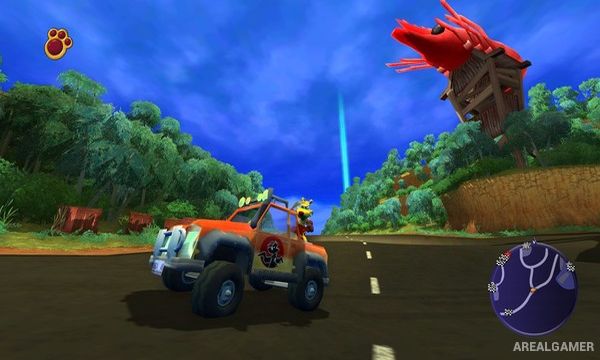
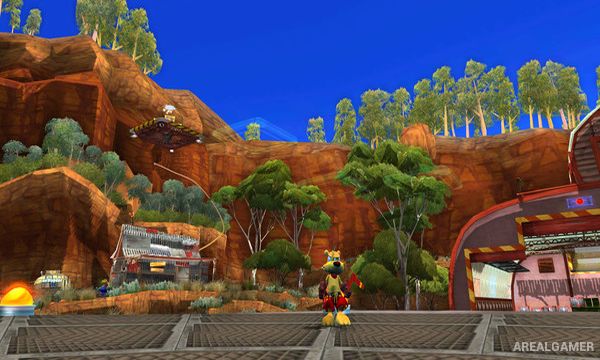
Unlike the more level-focused structure of the first game, the sequel connects many locations through a broader hub world. Vehicles, mechanical suits, side missions, and a wider selection of boomerangs provide additional ways to travel and complete objectives.
How the Gameplay Works
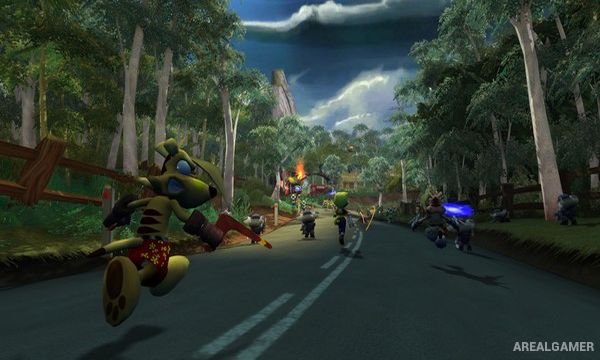
Ty travels between mission locations on foot and using vehicles such as the Fourbie. Platforming and boomerang combat remain central, but missions can also involve races, rescues, vehicle challenges, and battles using large mechanical Bunyip suits.
Different boomerangs provide specialized abilities useful against enemies and environmental obstacles. Collectibles and optional tasks are scattered throughout the world, while completing major missions gradually opens additional areas and advances the fight against Boss Cass.
Main Gameplay Features
Open hub-based platforming adventure
Australian-inspired world
Large selection of boomerangs
Vehicle driving
Fourbie exploration
Bunyip mechanical suits
Combat and rescue missions
Racing challenges
Platforming sections
Optional side activities
Collectible items
Return of Boss Cass
Screenshots:
Minimum System Requirements:
OS: Windows 7/8/10, 64-bits
CPU: Intel Core i3/i5/i7 1.8 GHz CPU dual-core. AMD 2.0 GHz dual-core.
RAM: 4 GB
Video Card: NVIDIA GeForce 260 / Radeon HD 4000 Series / Intel HD Graphics 4000 with OpenGL 3.3 minimum.
Space Required: 3 GB
DirectX: 9.0c
How to Install:
Extract the game using Winrar or 7zip.
Open “TY the Tasmanian Tiger 2″ folder, double click on “Setup” and proceed install.
After installation complete, open “CODEX” folder.
Copy all files and paste it where you “Installed the Game”.
Double click on “Game” icon to play the game. Enjoy!
Click the Below Button to Proceed to Download Page
File Password: arealgamer