
X-Men Origins: Wolverine


X-Men Origins: Wolverine – Free Download – PC Game
Game Info:
Size: 2.76 GB
Genre: Action, Adventure, Fighting
Release Date: May 1, 2009
Developer: Raven Software
Publisher: Activision
About This Game:
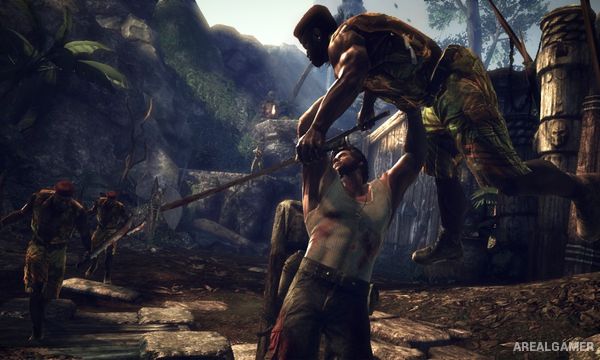
X-Men Origins: Wolverine is a violent third-person action game inspired by the 2009 film while expanding Logan’s story with additional missions and characters. The campaign moves between military operations, Weapon X facilities, jungles, laboratories, and other locations connected to Wolverine’s past.
Wolverine’s healing factor is represented directly during gameplay, allowing severe damage to visibly repair itself when Logan has time to recover. His adamantium claws provide fast close-range attacks and brutal finishing moves against soldiers, mutants, robots, and larger enemies.
How the Gameplay Works
Players slash enemies with light and heavy attacks, grabs, launchers, aerial strikes, and special moves. Wolverine can also leap directly toward distant targets, rapidly closing the gap before continuing a combination.
Taking damage temporarily exposes wounds before the healing factor restores Logan’s body and health. Experience gained through combat unlocks additional abilities, while hidden Mutagens and other collectibles provide bonuses. Larger enemies and bosses require dodging and carefully timed attacks.
Main Gameplay Features
Play as Wolverine
Fast melee combat
Adamantium claws
Regenerating health
Visible body damage and healing
Lunge attacks
Grab and throw enemies
Brutal finishing moves
Character skill upgrades
Mutagen bonuses
Hidden collectibles
Large enemy groups
Boss battles
Movie-inspired storyline
Third-person action
Screenshots:


Minimum System Requirements:
OS: Windows XP/Vista/7
CPU: Intel(R) Pentium (R) 4 3.0 GHz or Intel (R) Core (TM) 2 E6300
RAM: 1 GB
Video Card: 256 MB graphics card compatible with DirectX 9
Space Required: 8 GB
DirectX: 9.0c
How to Install:
Extract the game using Winrar or 7zip.
Open “X-Men Origins: Wolverine” >> “Game” folder.
Then double click on “setup.bat” press “ESC” and then press any key to run the setup.
After installation complete, double click on “Run_Wolverine” icon to play the game. Enjoy!
Click the Below Button to Proceed to Download Page
File Password: arealgamer