
Amber’s Airline – 7 Wonders


Amber’s Airline – 7 Wonders – Free Download – PC Game
Game Info:
Size: 112 MB
Genre: Casual
Release Date: 18 Apr, 2019
Developer: Old Skull Games, GameHouse
Publisher: GameHouse
About This Game:
Amber’s Airline – 7 Wonders is a story-driven time-management game following flight attendant Amber Hope and her crew as they travel to the New Seven Wonders of the World. The journey combines airline duties with a continuing story involving friendships, personal problems, and difficulties facing the crew.
Locations inspired by places such as the Taj Mahal, Petra, the Colosseum, Machu Picchu, and the Great Wall provide a travel theme across the campaign. Story scenes appear between levels while optional challenges and mini-games add variety to the usual passenger-service routine.
How the Gameplay Works
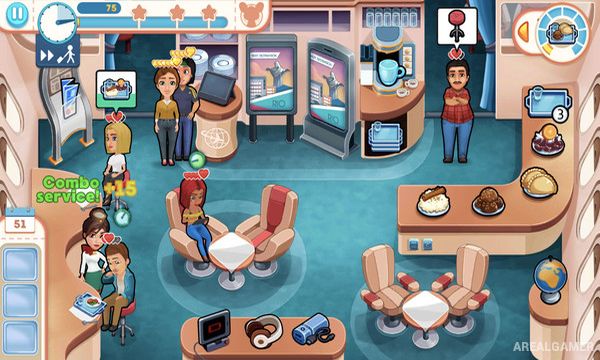
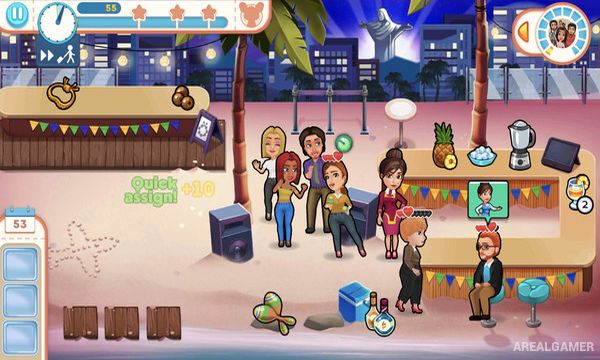
Passengers arrive with requests that must be handled before their patience runs out. Players move Amber between service stations to prepare items, deliver requested objects, assist travelers, clean areas, and complete several tasks in an efficient order.
Chaining actions and serving passengers quickly improves scores and helps earn stronger ratings for each level. Story stages are supplemented by challenge levels and travel-themed mini-games, while unlockable customization gives the crew additional visual options.
Main Gameplay Features
Time-management passenger service
Story-driven airline campaign
Locations based on the New Seven Wonders
Multi-step customer requests
Score and level rating system
Optional challenge stages
Travel-themed mini-games
Crew outfit customization
Screenshots:

Minimum System Requirements:
OS: Windows XP/Vista/7/8/10
CPU: 1.8 GHz
RAM: 512 MB
Video Card: 64 MB graphics card compatible with DirectX 9
Space Required: 300 MB
DirectX: 9.0c
How to Install:
Extract the game using Winrar or 7zip.
Open “Amber’s Airline – 7 Wonders” folder, double click on “Setup” and proceed install.
After installation complete, go to the “Installed Game” location.
Double click on “game” icon to play the game. Enjoy!
Click the Below Button to Proceed to Download Page
File Password: arealgamer