
Bridge Constructor Playground

Bridge Constructor Playground – Free Download – PC Game
Game Info:
Size: 43 MB
Genre: Simulation
Release Date: 2 Jul, 2014
Developer: ClockStone
Publisher: Headup
About This Game:
Bridge Constructor Playground is a relaxed engineering puzzle game designed around experimenting with bridge construction. Players build structures across valleys, rivers, and canals using several materials, then discover whether their design is strong enough to carry vehicles safely to the opposite side.
Compared with a more restrictive puzzle structure, Playground gives players greater freedom to test different designs without being heavily punished for unusual solutions. The goal is to understand how materials, connection points, weight, and structural forces interact while gradually tackling more complicated crossings.
How the Gameplay Works
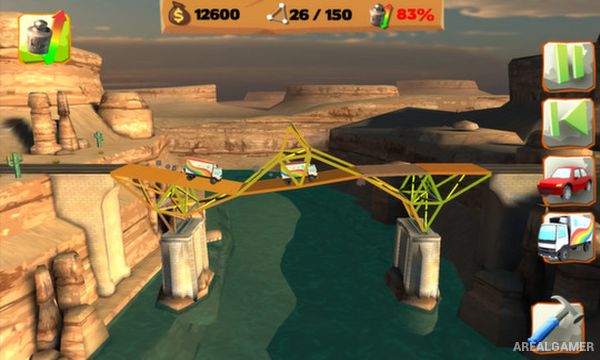
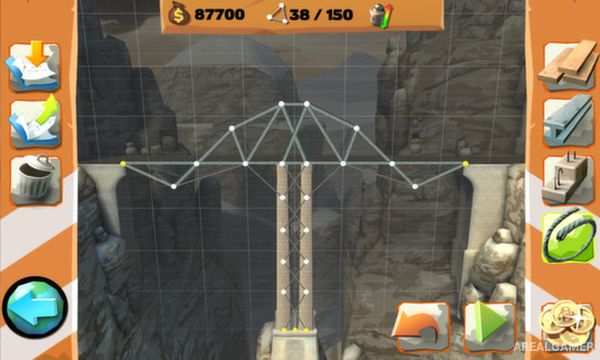
Players connect construction points using materials such as wood, steel, cables, and concrete supports. Once the design is complete, a stress test sends cars or trucks across the bridge while visual indicators show where the structure is under the greatest pressure.
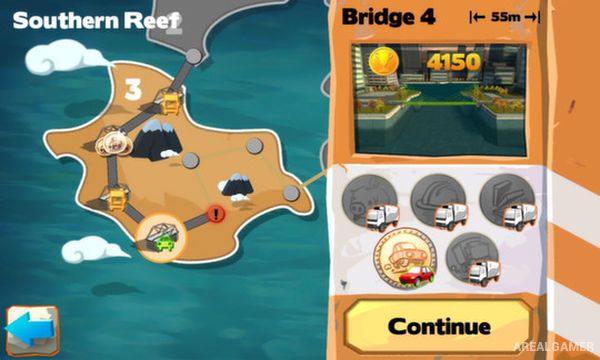
If a bridge collapses, players can return immediately to construction and reinforce weak areas or completely redesign the structure. Individual challenges award badges based on different requirements, encouraging efficient designs as well as bridges that simply survive the crossing.
Main Gameplay Features
Bridge-building simulation
30 main construction levels
Multiple building materials
Cars and truck stress tests
Visible structural strain
Physics-based bridge behavior
Flexible construction system
Experiment without harsh restrictions
Multiple solutions
Optional challenge requirements
Badge-based progression
Engineering-focused puzzle gameplay
Screenshots:
Minimum System Requirements:
OOS: Windows 7/8/10
CPU: 2 GHz
RAM: 1 GB
Video Card: 3D graphics card compatible with DirectX 9
Space Required: 100 MB
DirectX: 9.0c
How to Install:
Extract the game using Winrar or 7zip.
Open “Bridge Constructor Playground” folder, double click on “Setup” and proceed install.
After installation complete, go to the “Installed Game” location.
Double click on “Game” icon to play the game. Enjoy!
Click the Below Button to Proceed to Download Page
File Password: arealgamer