
Harry Potter and the Half-Blood Prince

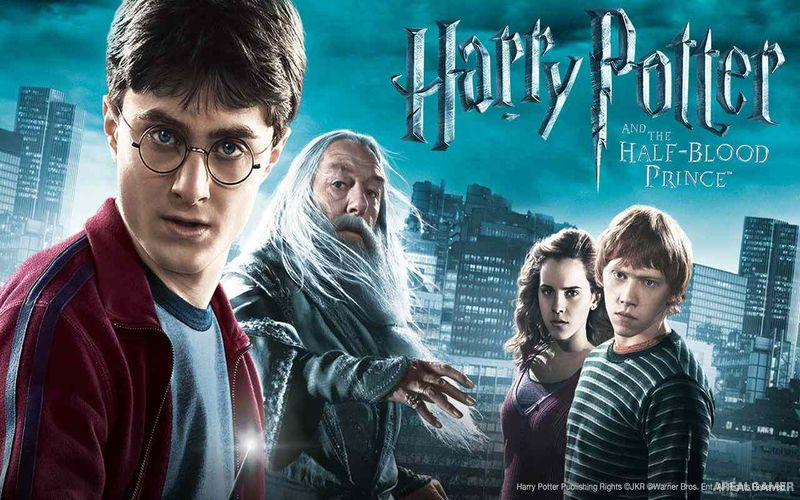
Harry Potter and the Half-Blood Prince – Free Download – PC Game
Game Info:
Size: 3.38 GB
Genre: Action, Adventure
Release Date: 30 June, 2009
Developer: EA Bright Light
Publisher: Electronic Arts
About This Game:
Harry Potter and the Half-Blood Prince is an action adventure based on the sixth Harry Potter film and follows Harry during another year at Hogwarts. Alongside the growing danger surrounding Voldemort, Harry attends classes, explores the castle, competes in Quidditch, practices magical dueling, and learns more about the mysterious Half-Blood Prince.
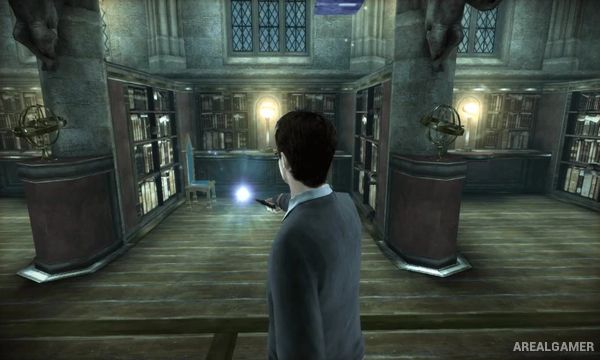
Hogwarts acts as a large central environment rather than simply a collection of disconnected stages. Players can travel through corridors, courtyards, classrooms, and outdoor areas while following story objectives or searching for hidden Hogwarts Crests.
How the Gameplay Works
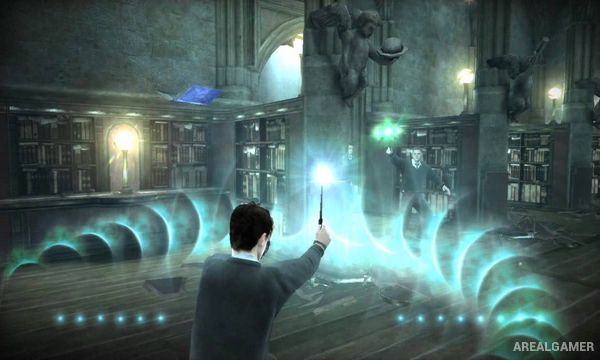
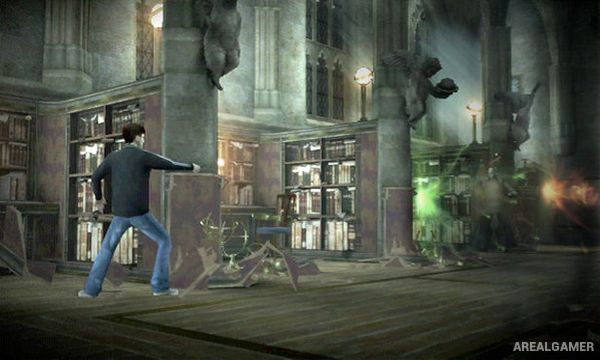
The adventure focuses on three major activities: spell dueling, potion making, and Quidditch. Duels require offensive and defensive spells, while potion lessons ask players to follow visual instructions and combine ingredients correctly before time runs out.
Quidditch sequences involve flying through courses while chasing the Golden Snitch or participating in team events. Nearly Headless Nick can help guide Harry toward objectives, while exploration provides collectible crests and access to different parts of Hogwarts.
Main Gameplay Features
Explore Hogwarts Castle
Story based on the sixth film
Wizard dueling
Multiple combat spells
Potion-making challenges
Quidditch matches
Broomstick flying
Hogwarts Crest collectibles
Nearly Headless Nick navigation
Indoor and outdoor school areas
Story missions
Harry Potter characters and locations
Screenshots:
Minimum System Requirements:
OS: Windows XP/Vista/7/8/10
CPU: 1.8 GHz
RAM: 512 MB
Video Card: 3D graphics card compatible with DirectX 9
Space Required: 5 GB
DirectX: 9.0c
How to Install:
Extract the game using Winrar or 7zip.
Open “Harry Potter ATHBP” folder, double click on “EASetup” and proceed install.
When setup need serial key, type this: TJK3-XVQG-G3O2-76N6-1911
After installation complete, open “Razor1911” folder.
Copy all files and paste it where you “Installed the Game”.
Open “PC” folder, double click on “hp6” icon to play the game. Enjoy!
Click the Below Button to Proceed to Download Page
File Password: arealgamer
it says that theres no cd in, so it doesn’t let me play, what should I do?
pls add crack files
Thank you so much!
Hello, I’ve been having issues with the game, although I’ve done everything as explained. Namely, when I try to launch the game, the screen turns black for a second or two, and then kicks me out to my desktop. Basically it doesn’t launch.
Win 8, tried running in compatibility mode (all Vista and XP service packs), turning off full screen optimizations, reduced color mode, running as administrator, nothing helps.
What am I missing here?
Thanks!
any error shown?