
Holy Potatoes! We’re in Space


Holy Potatoes! We’re in Space – Free Download – PC Game
Game Info:
Size: 741 MB
Genre: Adventure, Simulation
Release Date: 14 Feb, 2017
Developer: Daylight Studios
Publisher: Daedalic Entertainment
About This Game:
Holy Potatoes! We’re in Space?! is a comedic space-management adventure following sisters Cassie and Fay as they search the galaxy for their grandfather. Their journey takes them through procedurally generated sectors inhabited by vegetable-themed aliens, strange planets, hostile ships, and powerful bosses.
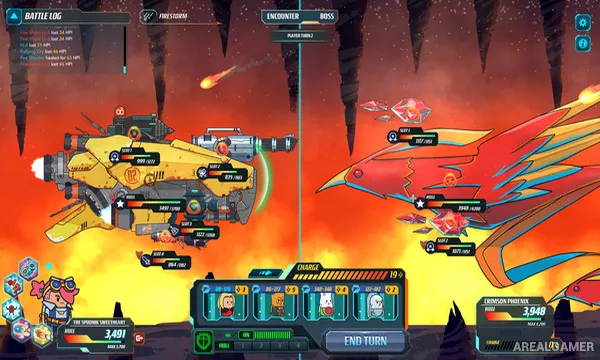
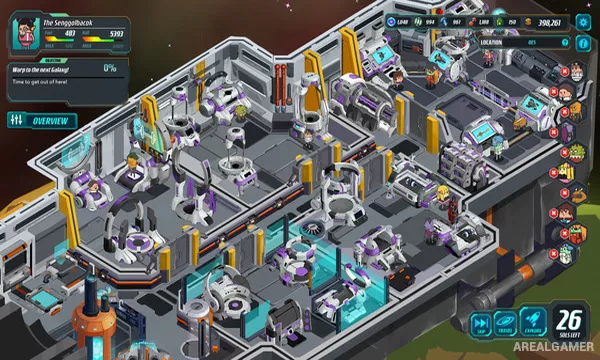
The game mixes ship management with exploration, crafting, crew development, and turn-based space combat. Its playful writing and food-based characters give the adventure a much lighter tone than most spaceship strategy games.
How the Gameplay Works
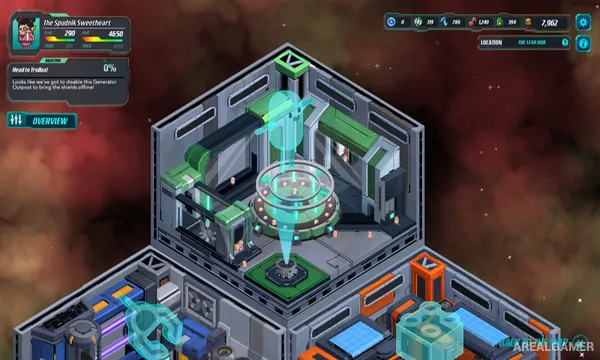
Players send their ship through different sectors, explore planets for resources, hire engineers, and use gathered materials to craft or upgrade weapons. Crew members have useful specialties, making assignment decisions important for efficient ship operation.
Space battles are turn based and focus on choosing which enemy systems to attack while protecting critical parts of the player’s ship. Better weapons and upgraded facilities become increasingly necessary as enemy vessels and bosses grow stronger.
Main Gameplay Features
Spaceship management
Turn-based ship combat
Procedurally generated space regions
Planet exploration
Resource gathering
Weapon crafting
Engineer recruitment
Ship upgrades
Boss battles
Comedic potato-themed universe
Screenshots:
Minimum System Requirements:
OS: Windows 7/8/10
CPU: Intel Pentium Dual Core 2.5GHz or AMD Athlon 64 X2 3GHz
RAM: 4 GB
Video Card: ATI Radeon HD4000 series or nVidia GeForce 9000 series
Space Required: 3 GB
DirectX: 9.0c
How to Install:
Extract the game using Winrar or 7zip.
Open “Holy Potatoes! We’re in Space” folder, double click on “Setup” and proceed install.
After installation complete, go to the “Installed Game” location.
Double click on “Game” icon to play the game. Enjoy!
Click the Below Button to Proceed to Download Page
File Password: arealgamer