
Land of the Dead: Road to Fiddler’s Green


Land of the Dead: Road to Fiddler’s Green – Free Download – PC Game
Game Info:
Size: 969 MB
Genre: Action, Shooter
Release Date: October 20, 2005
Developer: Brainbox Games
Publisher: Groove Games
About This Game:
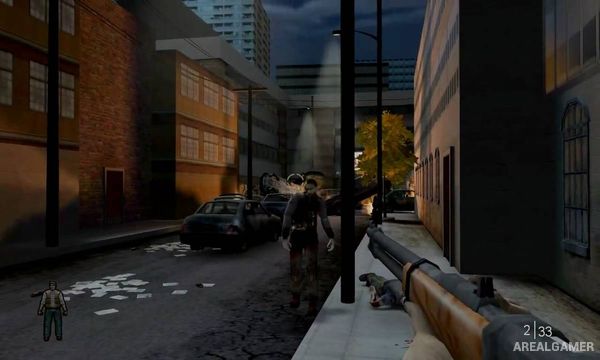
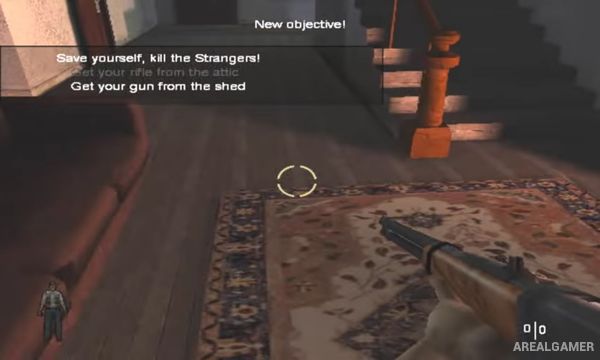
Land of the Dead: Road to Fiddler’s Green is a first-person zombie shooter connected to George A. Romero’s Land of the Dead. Players control Jack, a farmer whose isolated life collapses when the dead begin attacking, forcing him to leave his property and search for safety.
The journey moves through farms, roads, towns, sewers, industrial areas, and other locations as Jack encounters increasingly large groups of zombies. The story ultimately connects his escape with Fiddler’s Green, the protected city featured in the film.
How the Gameplay Works
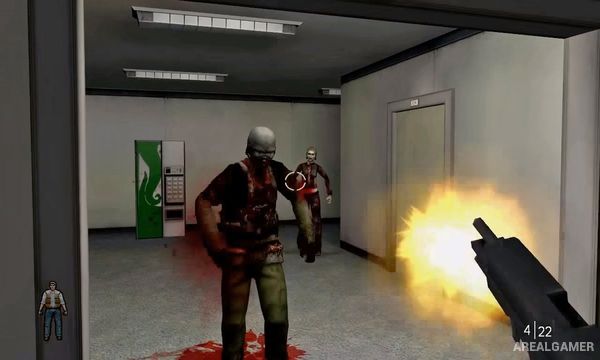
Players fight zombies using melee weapons and firearms while searching levels for ammunition, health, keys, and routes forward. Headshots are generally the most efficient way to stop the undead, making accuracy important when ammunition is limited.
Levels combine corridor shooting with more open areas containing groups of enemies arriving from several directions. Weapons range from basic farm tools to pistols, shotguns, rifles, and heavier equipment acquired later in the campaign.
Main Gameplay Features
First-person zombie shooting
Single-player survival campaign
Melee weapons
Pistols, shotguns, and rifles
Headshot-focused zombie combat
Multiple rural and urban locations
Resource and ammunition management
Connection to Romero’s Land of the Dead
Multiplayer modes
Screenshots:
Minimum System Requirements:
OS: Windows 98/ME/2000/XP/Vista/7
CPU: 1.8 GHz
RAM: 512 MB
Video Card: 3D graphics card compatible with DirectX 9
Space Required: 2 GB
DirectX: 9.0c
How to Install:
Extract the game using Winrar or 7zip.
Open “Land of the Dead: Road to Fiddler’s Green” folder, double click on “Setup” and proceed install.
After installation complete, go to the “Installed Game” location.
Double click on “LOTD” icon to play the game. Enjoy!
Click the Below Button to Proceed to Download Page
File Password: arealgamer