
Moons of Madness


Moons of Madness – Free Download – PC Game
Game Info:
Size: 8.15 GB
Genre: Adventure, Horror
Release Date: 22 Oct, 2019
Developer: Rock Pocket Games
Publisher: Funcom
About This Game:
Moons of Madness is a first-person psychological horror game set on a Mars research station where engineer Shane Newehart begins experiencing events that cannot be explained by ordinary equipment failure. The story combines realistic space technology with cosmic-horror imagery and themes.
The isolated station becomes increasingly unstable as communications fail and strange biological growths appear. Exploration gradually reveals what happened to the crew and how the mission may connect to forces beyond normal scientific understanding.
How the Gameplay Works
Players move through laboratories, living quarters, tunnels, and the Martian surface while operating computers, restoring power, repairing systems, and solving environmental puzzles. An oxygen supply and suit are required during exterior sections.
There is little emphasis on direct combat. Tension instead comes from exploration, scripted encounters, environmental hazards, and the growing uncertainty over what Shane is actually seeing.
Main Gameplay Features
First-person Mars horror adventure
Science-fiction and cosmic-horror themes
Research-station exploration
Environmental and machinery puzzles
Suit and oxygen use on the Martian surface
Computer and power-system interactions
Minimal direct combat
Story-driven psychological tension
Screenshots:

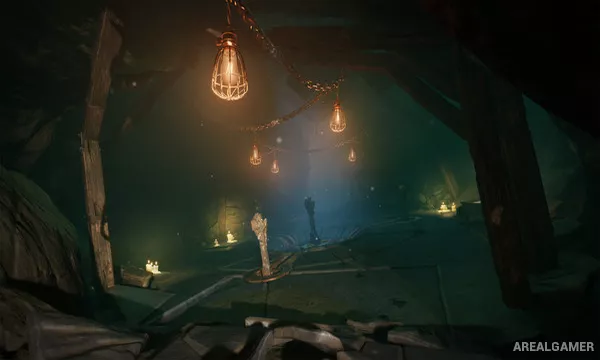
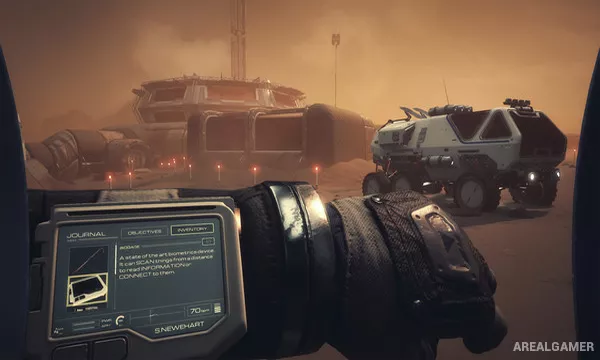
Minimum System Requirements:
OS: Windows 7/8/10, 64-bit
CPU: Intel Core i5-760 / AMD Athlon X4 740 or equivalent
RAM: 4 GB
Video Card: GeForce GTX 460 or MX150 / Radeon R7 260X
Space Required: 15 GB
DirectX: 10
How to Install:
Extract the game using Winrar or 7zip.
Open “Moons of Madness” folder, double click on “Setup” and proceed install.
After installation complete, open “CODEX” folder.
Copy all files and paste it where you “Installed the Game”.
Double click on “Game” icon to play the game. Enjoy!
Click the Below Button to Proceed to Download Page
File Password: arealgamer