
Unity of Command II

Unity of Command II – With All DLC – Free Download – PC Game
Game Info:
Size: 2.99 GB
Genre: Strategy
Release Date: 12 Nov, 2019
Developer: 2×2 Games, Croteam
Publisher: 2×2 Games
About This Game:
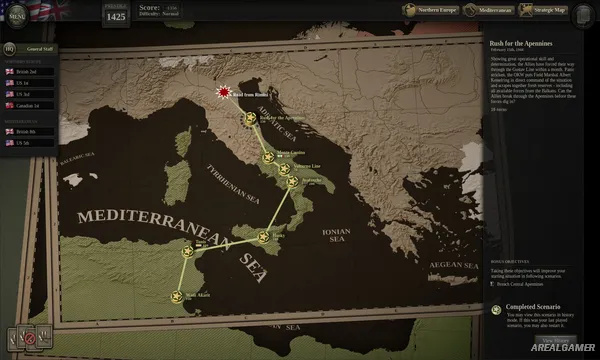
Unity of Command II is a turn-based World War II operational wargame that places logistics and command structure at the center of large military campaigns. The base campaign follows the Western Allies while providing players with opportunities to change the historical sequence of operations through their battlefield performance.
Rather than treating every unit as an independent collection of combat statistics, the game emphasizes headquarters, supply networks, reconnaissance, and maintaining an effective operational front. Cutting enemy logistics can be as valuable as destroying individual formations.
How the Gameplay Works
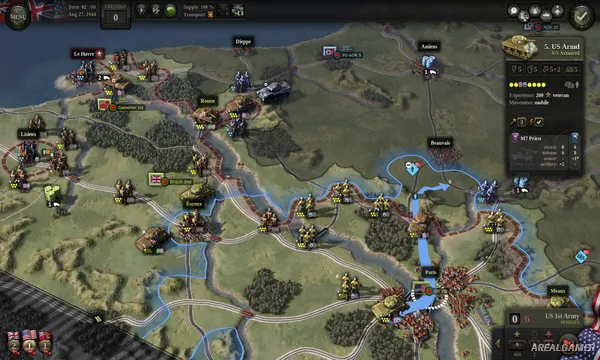
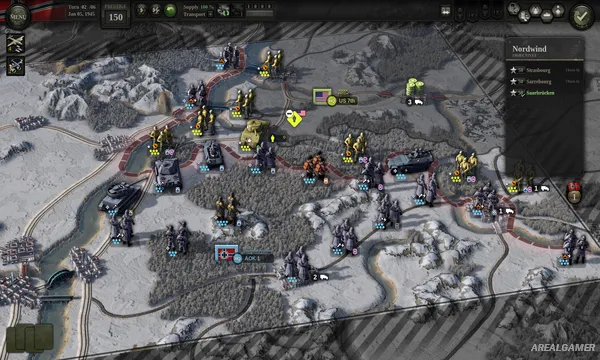
Players move divisions across hex-based maps, attack enemy formations, secure objectives, and protect the supply routes keeping their own army operational. Fog of war hides important information until reconnaissance or contact reveals what is waiting ahead.
Headquarters can help reorganize units, construct bridges, provide supplies, and use specialized abilities. Theater assets provide additional options such as air reconnaissance, bombing, sabotage, and aerial supply, while optional objectives can alter the campaign’s later direction.
Main Gameplay Features
Turn-based World War II operational warfare
Hex-based maps
Detailed supply-line system
Headquarters management
Fog of war
Reconnaissance
Bridge construction
Unit reorganization
Air reconnaissance and bombing
Sabotage and air supply
Branching campaign
Optional objectives
Scenario editor
Steam Workshop support
Multiplayer options
Screenshots:
Minimum System Requirements:
OS: Windows 10, 64-bit
CPU: Dual core
RAM: 4 GB
Video Card: OpenGL 3.3+ supporting GPU with 1GB VRAM
Space Required: 5 GB
DirectX: 10
How to Install:
Extract the game using Winrar or 7zip.
Open “Unity of Command II” folder, double click on “Setup” and proceed install.
After installation complete, open “RUNE” folder.
Copy all files and paste it where you “Installed the Game”.
Double click on “Game” icon to play the game. Enjoy!
Click the Below Button to Proceed to Download Page
File Password: arealgamer